
About this feature
The Subject Registry is a single shared list of subject codes and names for your institution for example "CS301 Data Structures". It exists so that classroom timetables and attendance registers always reference the exact same subject, instead of every faculty member typing a slightly different name each time. Any authenticated Faculty or Student can browse the registry (read-only); only Admins, Sub-Admins, and Super Admins can add, edit, or delete subjects.
How to Manage the Subject Registry
Add, edit, and remove the subject codes used across attendance and timetables.
In the sidebar, click "Subjects". You will see every subject currently registered, with its code, name, and who added it.
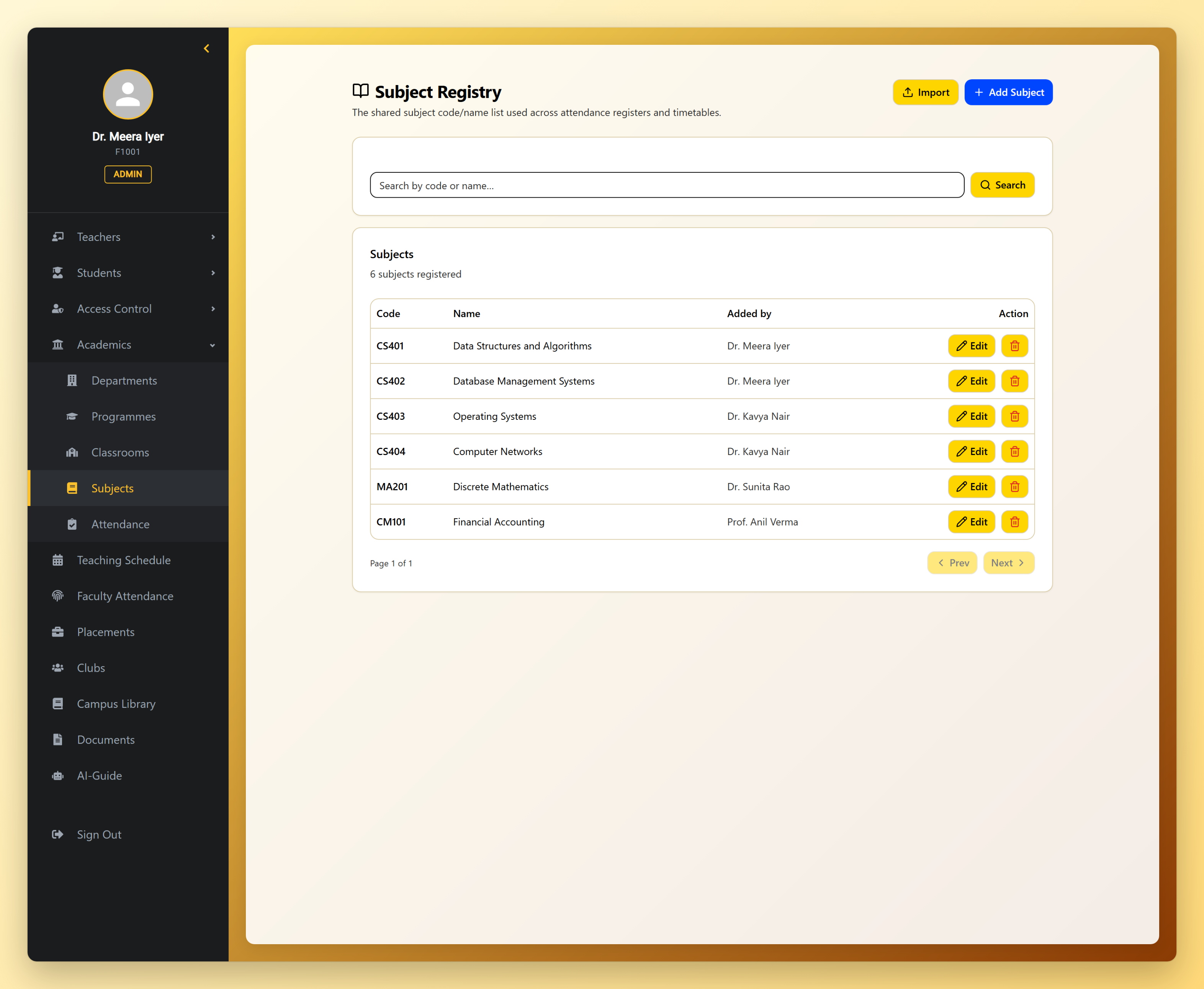
Click "Add Subject" to create one. Toggle "Bulk add" to paste in up to 50 subjects at once instead of adding them one at a time.
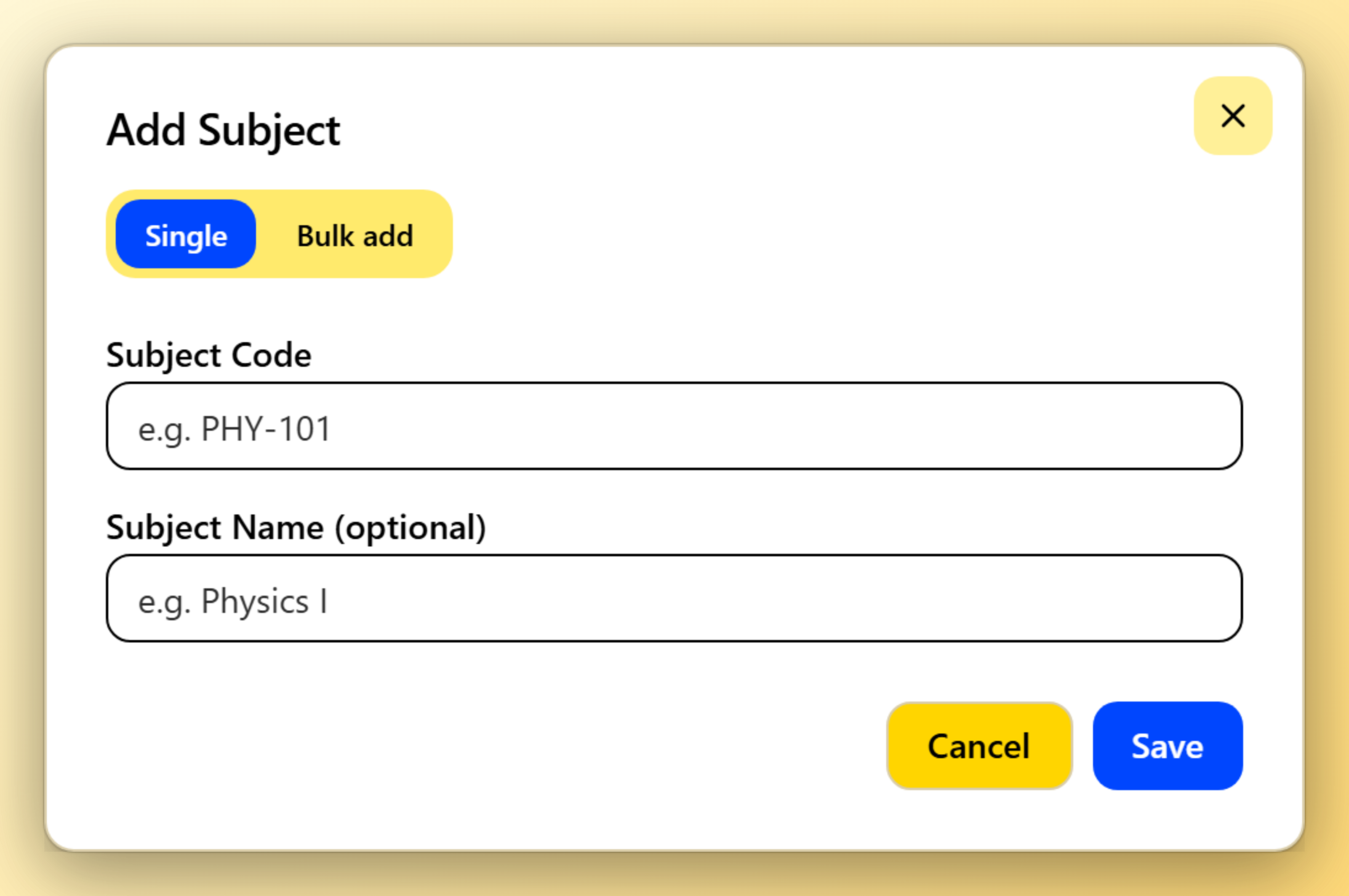
Enter a Subject Code (required) and an optional Subject Name, then click "Save" (or "Add All" in bulk mode).
Use "Edit" to correct a code or name, or the trash icon to delete a subject that is no longer needed existing attendance registers and timetable entries that already reference it are not affected.
Search by code or name to quickly find a subject once the list grows.
You've completed this guide — How to Manage the Subject Registry