
About this feature
Student accounts give students access to the UNILinkd mobile app attendance reports, classroom chats, the placement portal, clubs, and the e-library. Admins enroll students via CSV or one at a time. A newly enrolled student is "Not Onboarded" until they log into the app for the first time, which activates their account fully. Each student can belong to only one department; an Admin must reset it if they need to change.
How to View All Students
Browse and search the full student list.
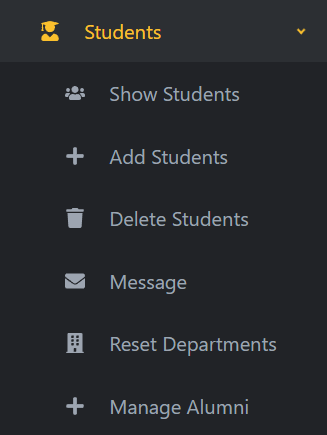
In the sidebar, click "Students" "Show Students".
A table loads with all enrolled students: name, Roll Number, email, department, and onboarding status.
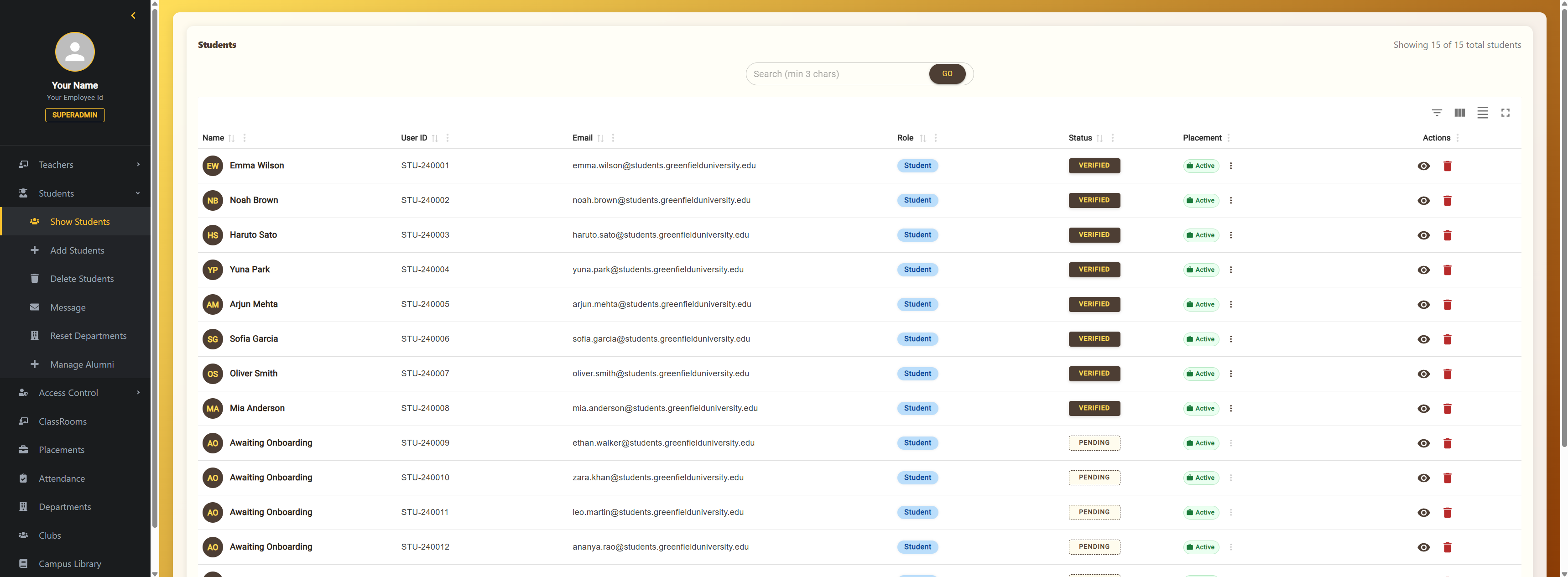
Use the search bar to find a student by name or Roll Number. The table filters as you type.
You've completed this guide — How to View All Students