
About this feature
AI-Guide lets Admins and Super Admins publish two kinds of institution-wide content News & Updates (announcements, deadlines, events) and General Info (policies, facilities, contacts) that any student or faculty member can then ask about directly inside the UniAI chat screen's "Guide" mode on the mobile app. There is one live document per category; saving a new version replaces the previous one. This is purely a content-management tool on the dashboard the guide itself is only read and asked about from the mobile app.
How to Publish News & Updates and General Info
Write and publish the content UniAI's Guide mode answers questions from.
In the sidebar, click "AI-Guide". You will see two sections: News & Updates and General Info.
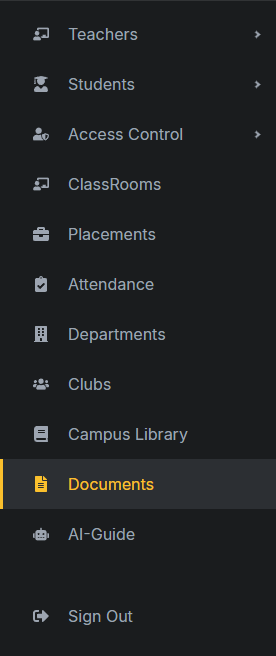
Each section holds a single document. Click into a section, write or edit the content, and click Save this becomes the current live version immediately, replacing whatever was published before it.
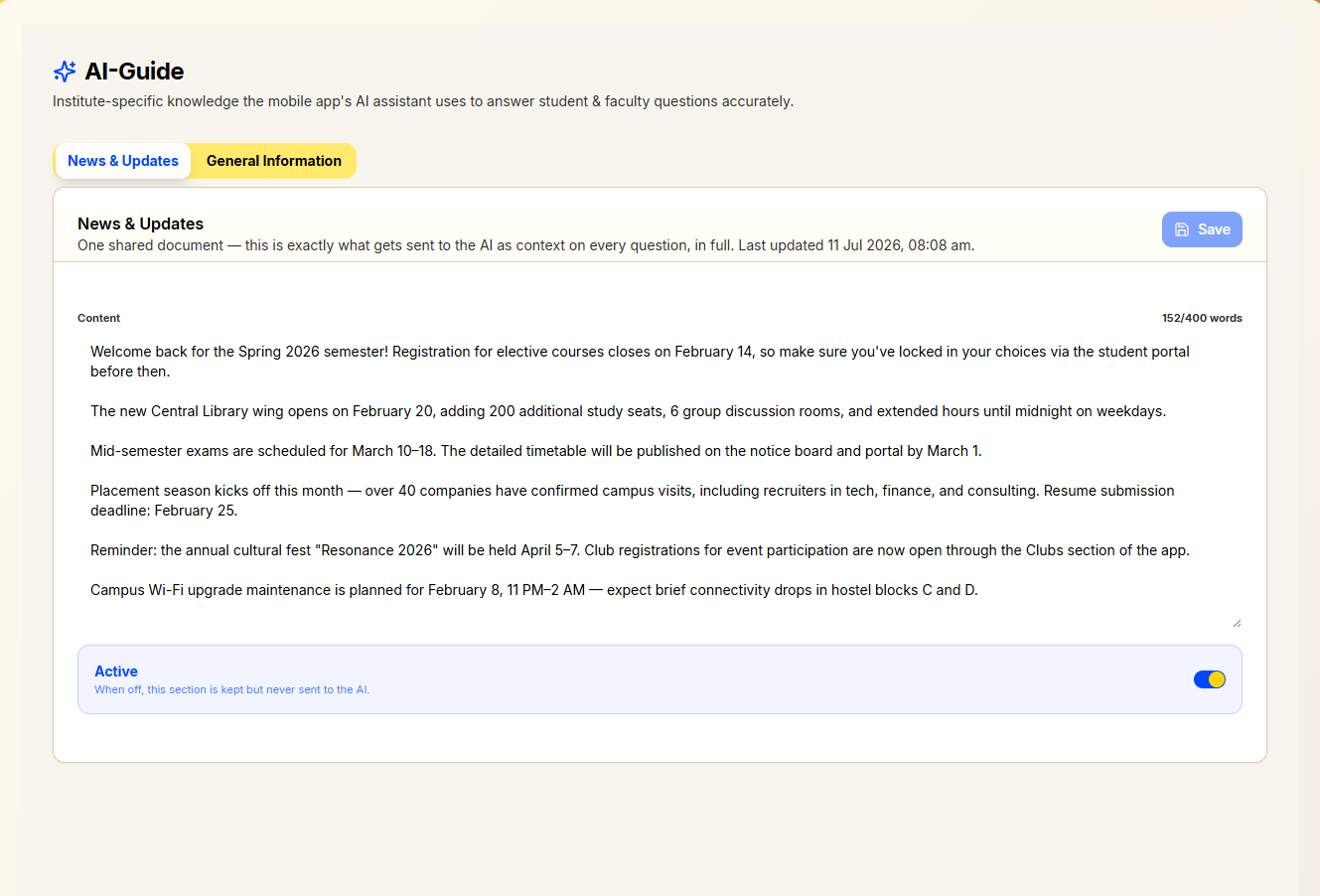
Keep content accurate and up to date (e.g. "Registration closes February 14") UniAI's Guide mode answers student and faculty questions using exactly what is written here.
Only Admins and Super Admins can publish or edit this content. Any authenticated student or faculty member can read it via UniAI, no separate permission needed on their side.
You've completed this guide — How to Publish News & Updates and General Info