
About this feature
Access Control manages the hierarchy of administrative power at your institution. Each role in UNILinkd has a specific set of permissions from the Super Admin who has full control, to Faculty who can only view records and submit attendance. Only Super Admins can create or modify Admin accounts. This section lets you view who currently has elevated access and manage their roles.
How to Add and Manage Admin Accounts
Create Admin and Sub-Admin accounts requires Super Admin access.
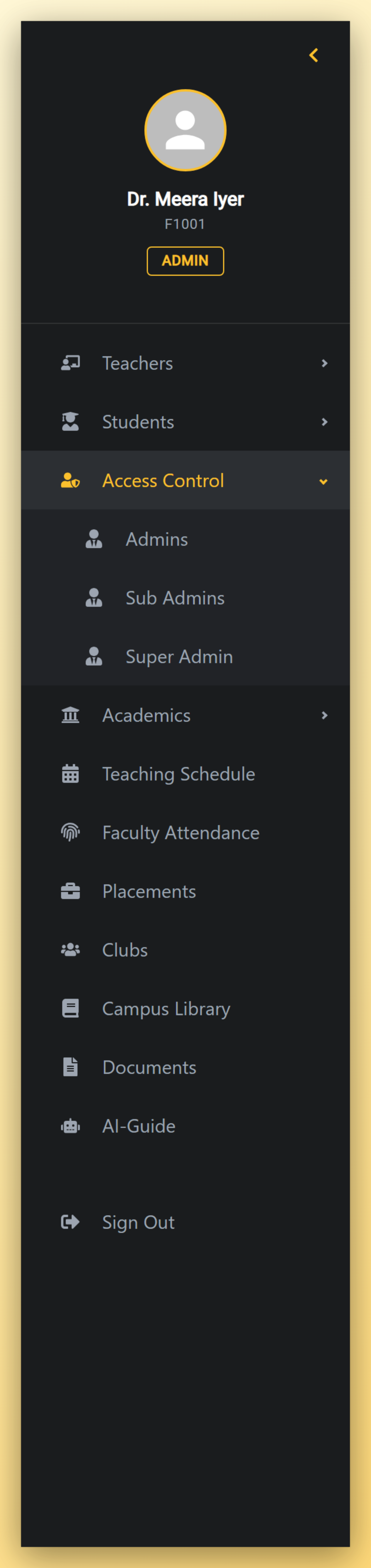
In the sidebar, click "Access Control" to expand it. You will see three options: Admins, Sub Admins, Super Admin.
Click "Admins" to view all Admin-level users in your institution.
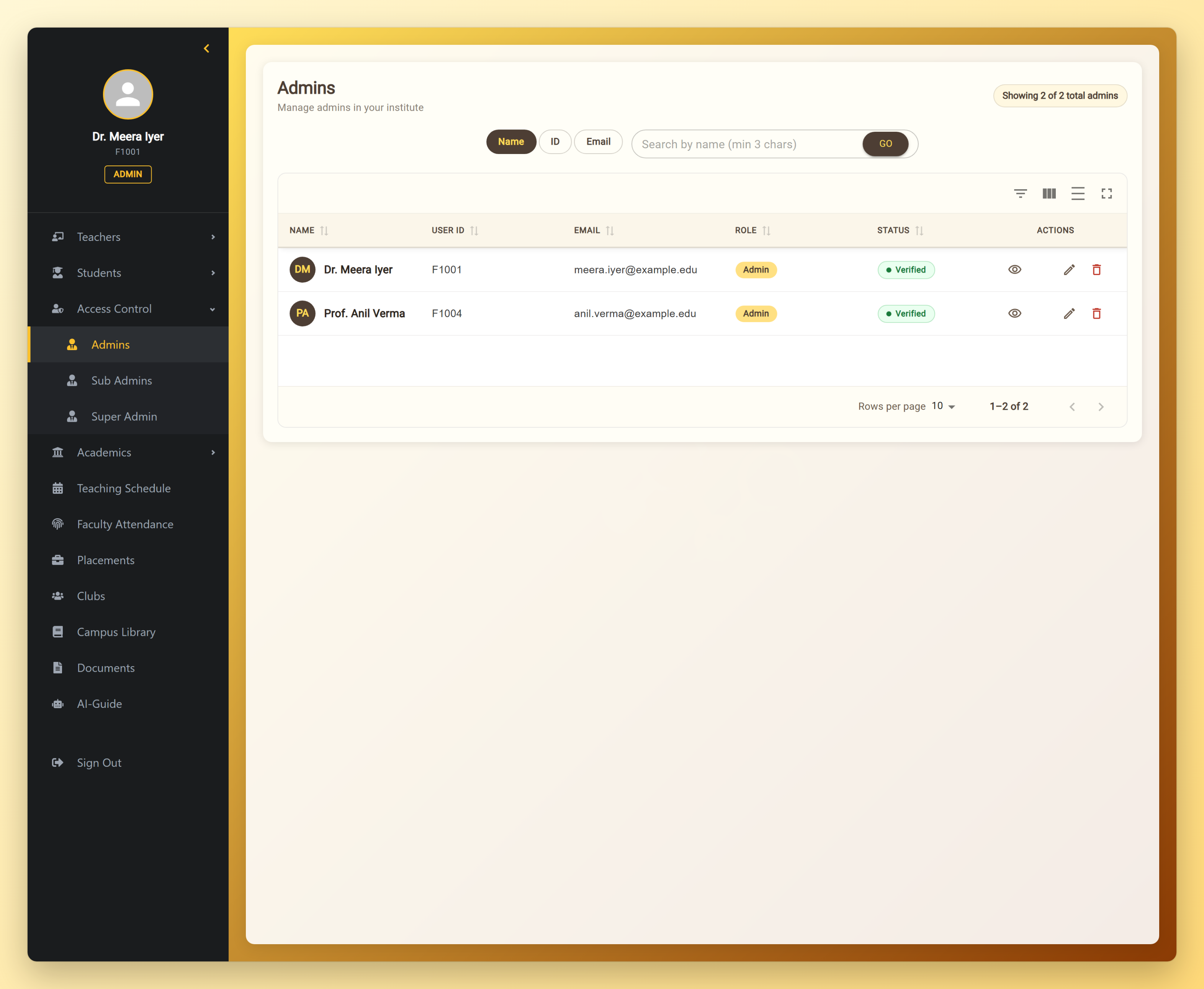
Only Super Admins can create or modify Admin accounts. If you need to promote a faculty member to Admin, contact your Super Admin.
Sub Admins are useful for department coordinators or senior staff who need management access but should not have full Admin control.
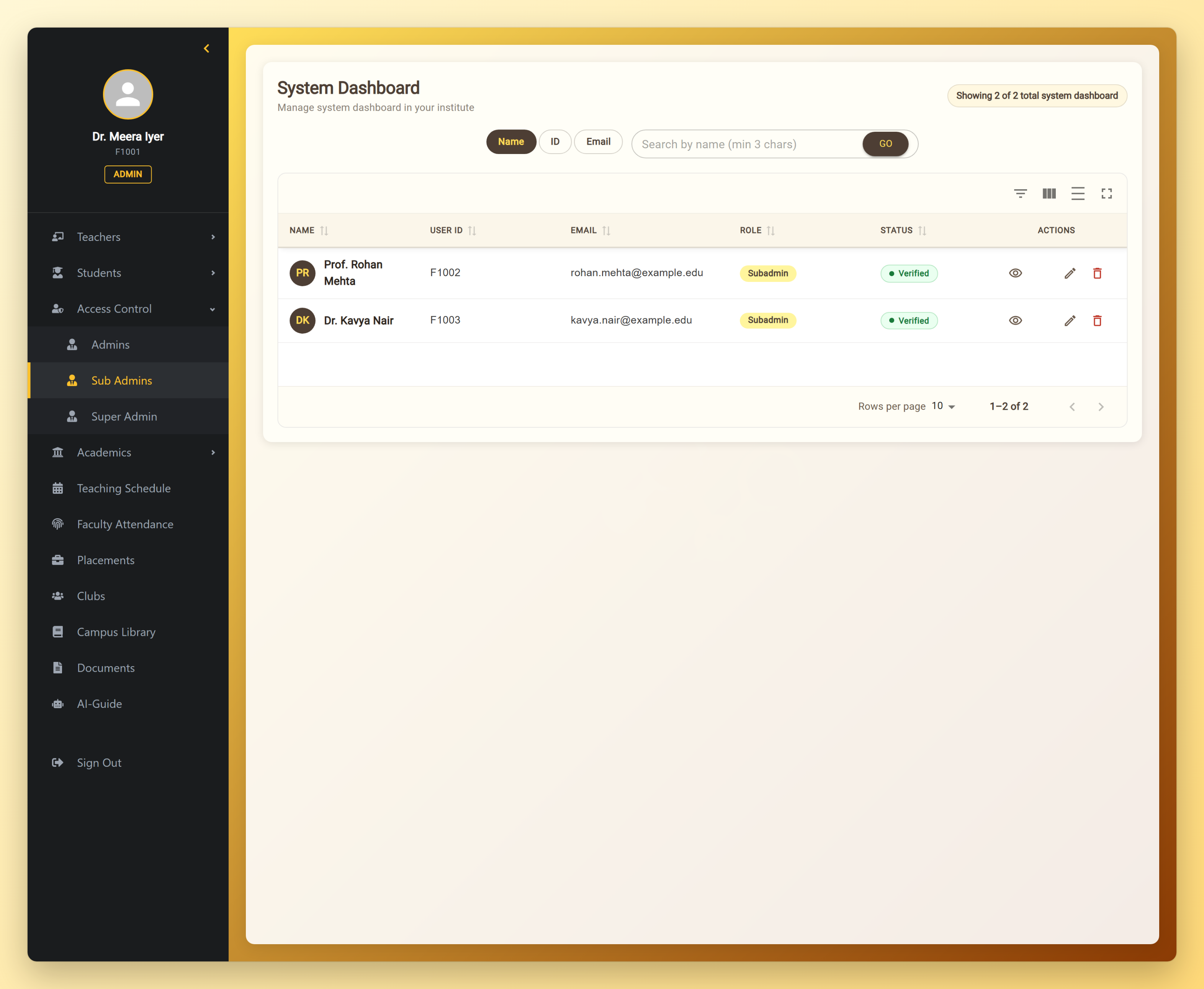
You've completed this guide — How to Add and Manage Admin Accounts