
About this feature
UNILinkd organises every institute the same way: Institute > Department > Programme > Classroom. A department is the big academic unit, a programme is a course of study inside it, and a classroom is the batch or section where teaching, attendance and chat actually happen. Subjects are kept once in a shared registry and grouped into programmes, students belong to a department, and an attendance policy can be set at any level and is inherited downwards. Only the words change between kinds of institute - a school says Class and Section where a university says Programme and Classroom - so the same steps work for everyone. Read these three guides in order if you are setting up a new campus.
How the Campus Hierarchy Works
The four levels - institute, department, programme, classroom - and what each one is for.
Think of your campus as a family tree with four levels. Your institute is at the top, departments branch from it, programmes branch from departments, and classrooms are at the bottom. Every classroom sits in a department and normally inside a programme.
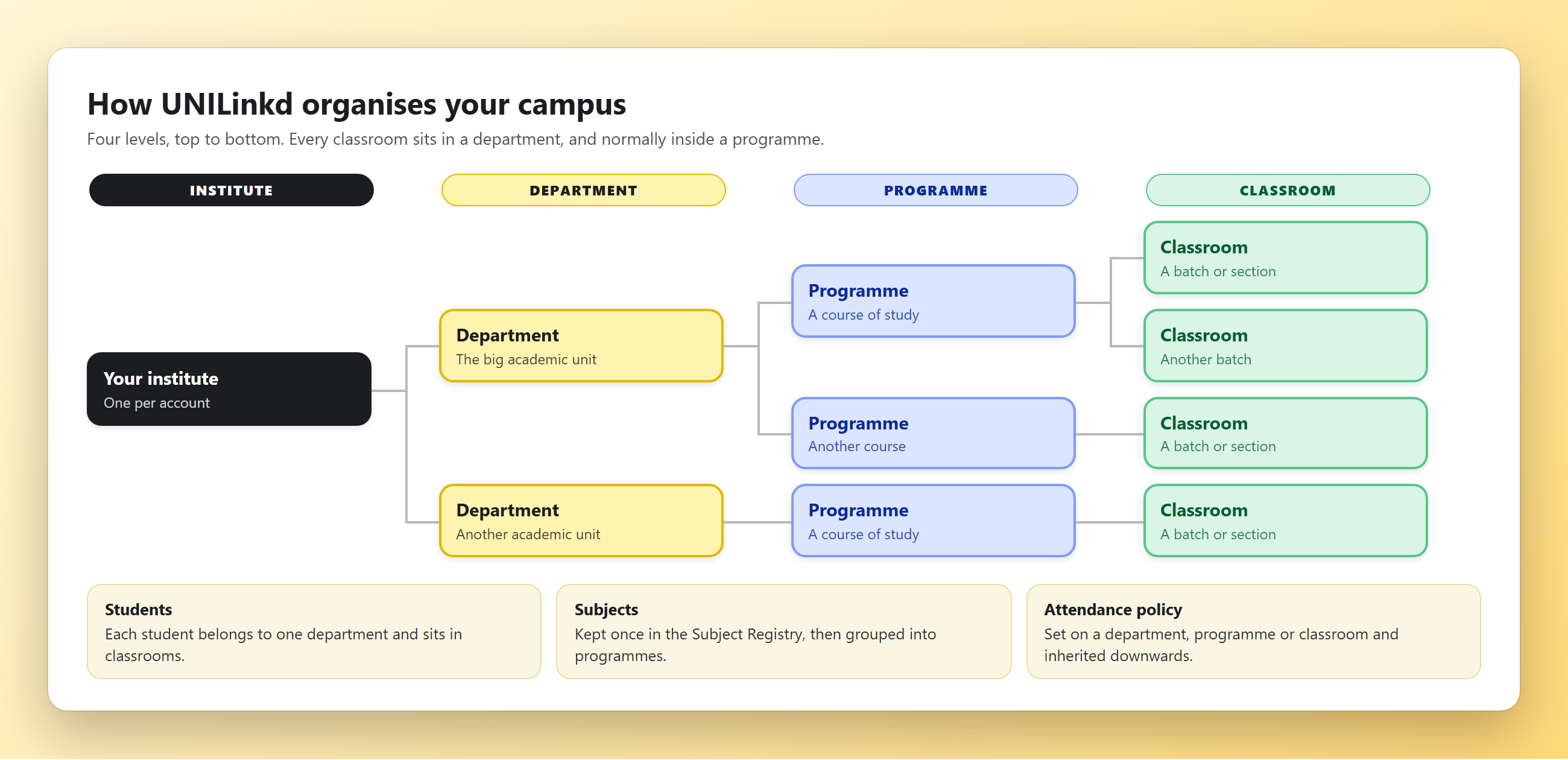
Institute: your whole account - one per institution. Everything below lives inside it, and its type (school, college, university or training institute) decides the words you see.
Department: the big academic unit, for example "Computer Science" or "Commerce". Every student belongs to exactly one department, each department has its own announcement channel in the app, and a department can have a head. You create departments first. Their display name can be edited later.
Programme: a course of study inside one department, for example "B.Tech Computer Engineering" or "BCA". A programme always stays in the department it was created in, so the classrooms under it never move by accident. It also owns a group of subjects. A programme that is just one class - like a DCA diploma - can be set up as a single-classroom programme, and its classroom is created for you automatically.
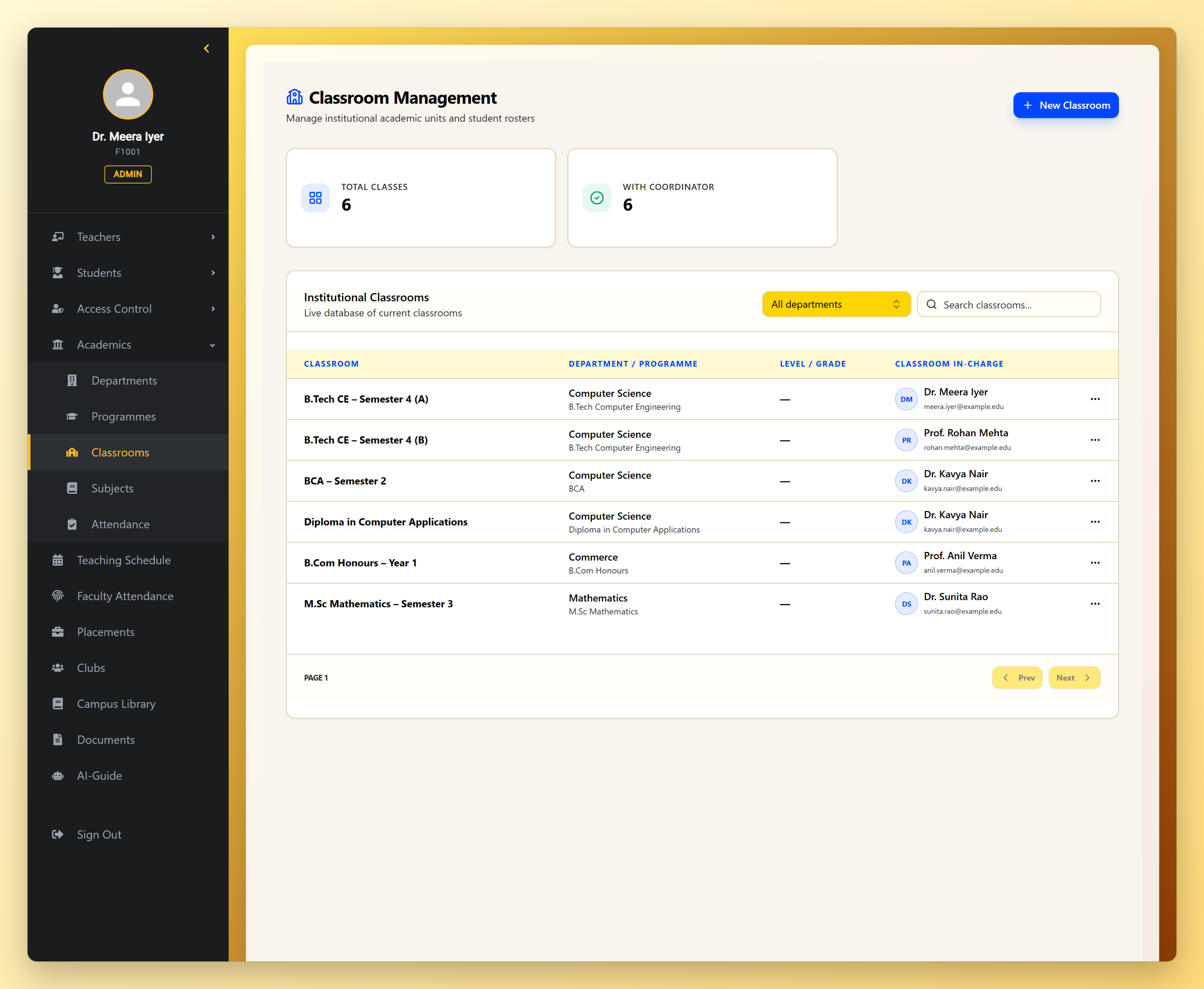
Classroom: a batch or section, for example "Semester 4 (A)". This is where the timetable, the attendance registers, the class chat and the student roster live, and it has an in-charge teacher. A new classroom must be placed in a department, and in a programme whenever the department has them.
Why the order matters: build from the top down - departments, then programmes, then classrooms - because each level is chosen from the level above. When you pick a classroom anywhere (Take Attendance, Export, filters), you narrow the list by department, then programme, or just search by name.
Three things follow the hierarchy. Subjects: kept once in the Subject Registry and added to programmes, so faculty see the programme's own subjects first. Attendance policy: set on a department, programme or classroom, and lower levels inherit it unless a higher level enforces it. Students: sit in one department and in their classrooms.
Classrooms created before the hierarchy existed show as "Unassigned" in the department filter. Open the classroom's menu (the three dots) and choose "Move to another department..." to place it.
You've completed this guide — How the Campus Hierarchy Works