
About this feature
The Campus Library module is a digital catalog of your institution's physical book collection. Students can search the catalog from the mobile app by title, author, genre, or subject to check availability before visiting in person. This module is managed by Admins and Sub-Admins. This is separate from the E-Library, which is UNILinkd's own digital content platform.
How to Manage the Library Catalog
Add and update book records in your institution's library catalog.
The Campus Library catalog is managed by Admins and Sub-Admins.
In the sidebar, click "Campus Library". You will see the list of books currently in your institution's physical collection.
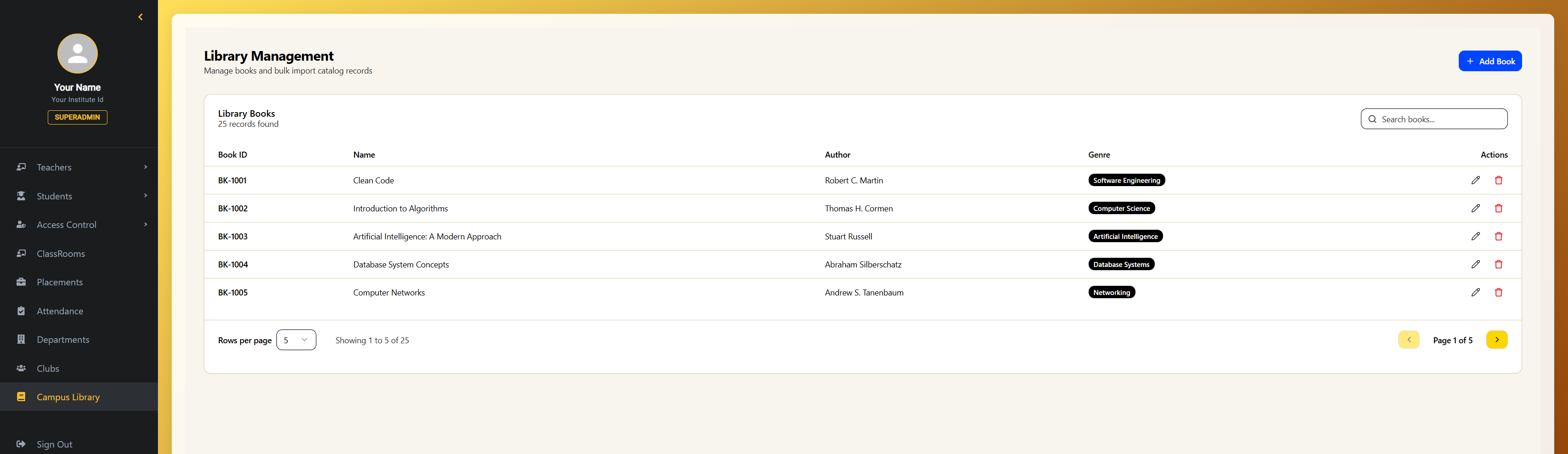
Students can browse this catalog in the app by genre, author, or subject to find books available in your campus library.
To add a book, click "Add Book" and fill in: title, author, genre, subject, and number of available copies.
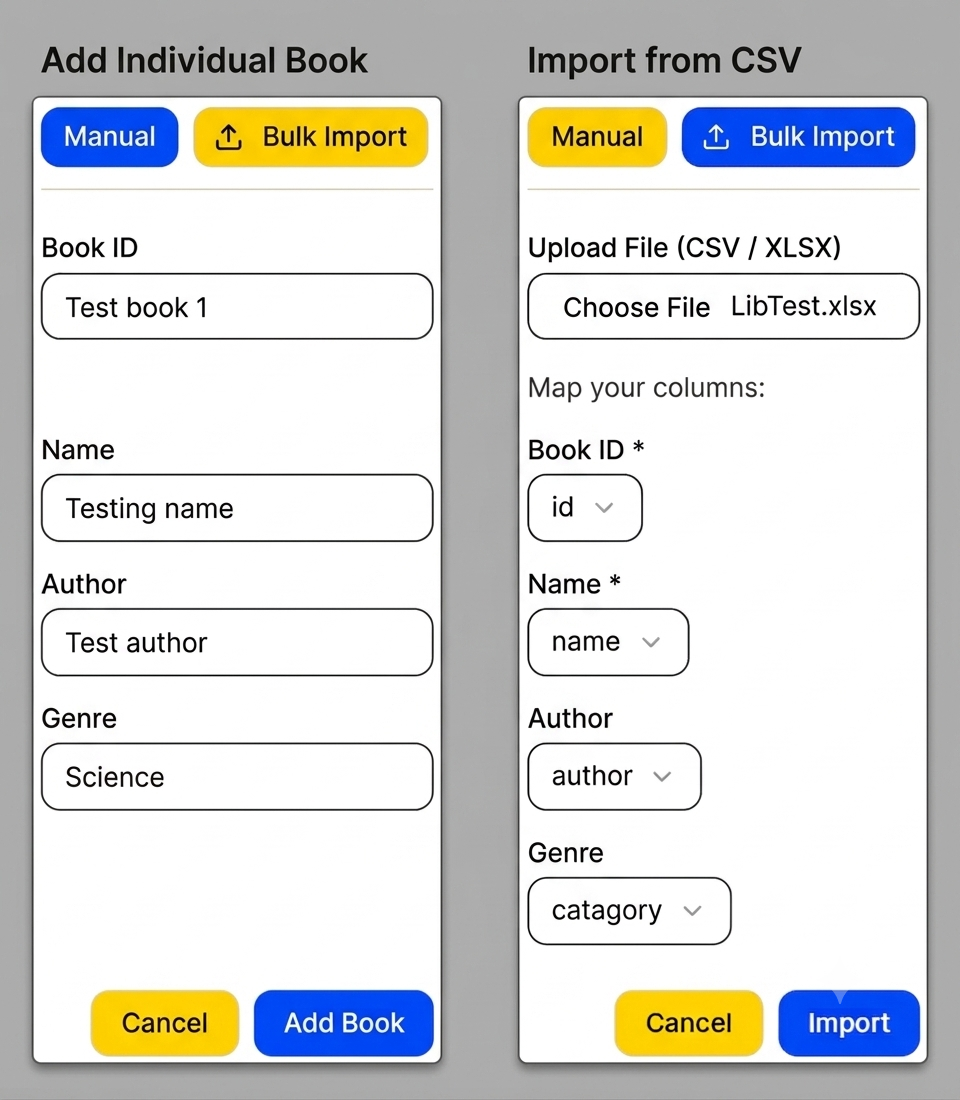
To update or remove an existing entry, find the book in the list and use the Edit or Delete options.
You've completed this guide — How to Manage the Library Catalog