
About this feature
The Placement Portal is UNILinkd's built-in campus career system. Admins and Sub-Admins create verified job and internship listings from the dashboard. Students browse and apply directly through the mobile app they can also track their applications and withdraw. Faculty can only view listings, not apply. Admins can revoke a student's ability to apply for example, if they have already accepted an offer and should not sit in further placement drives.
How to Create a Job or Internship Listing
Post a new job or internship opportunity for students to apply to.
Job listings are created from the dashboard by Admins and Sub-Admins. Faculty cannot create listings.
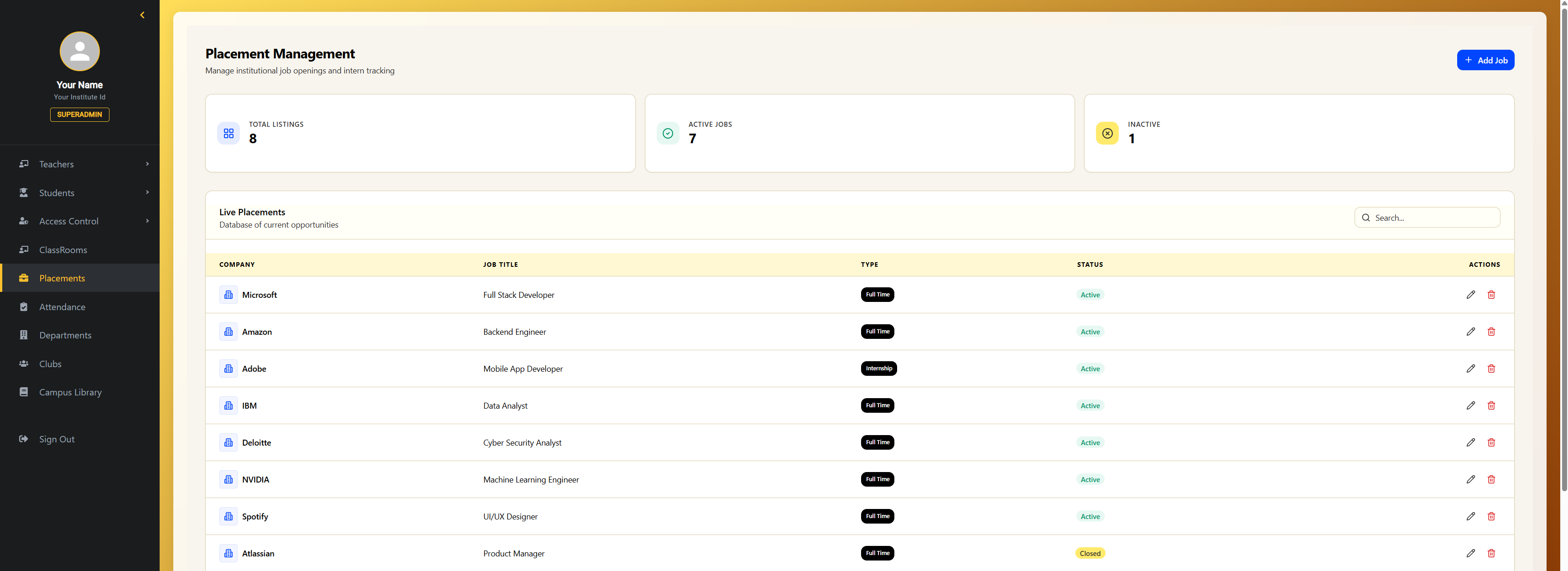
In the sidebar, click "Placements". Click "Add Listing".
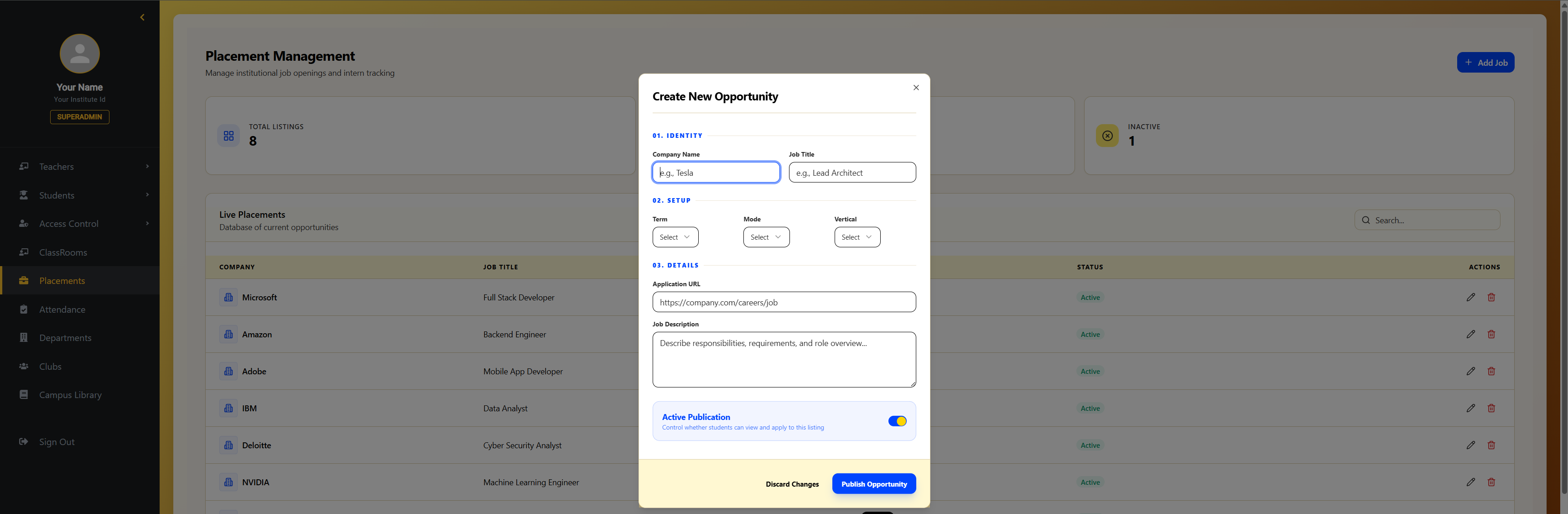
Fill in the job details: company name, role, employment type (full-time / internship), work mode (remote / on-site / hybrid), description, and deadline.
Click "Publish". The listing appears in the Placement Portal for all Onboarded students to browse and apply.
You've completed this guide — How to Create a Job or Internship Listing