
About this feature
Access Control manages the hierarchy of administrative power at your institution. Each role in UNILinkd has a specific set of permissions from the Super Admin who has full control, to Faculty who can only view records and submit attendance. Only Super Admins can create or modify Admin accounts. This section lets you view who currently has elevated access and manage their roles.
Who Can See and Change Attendance
Who may take, see, share, edit, export and configure attendance - and what students see.
Taking attendance: Super Admin, Admin, Sub Admin and Faculty can take a register. Students cannot.
Registers are private. A register can be seen by the person who took it and by nobody else - not even an admin - unless it is shared. The Attendance page lists only the registers you took and the ones colleagues shared with you.
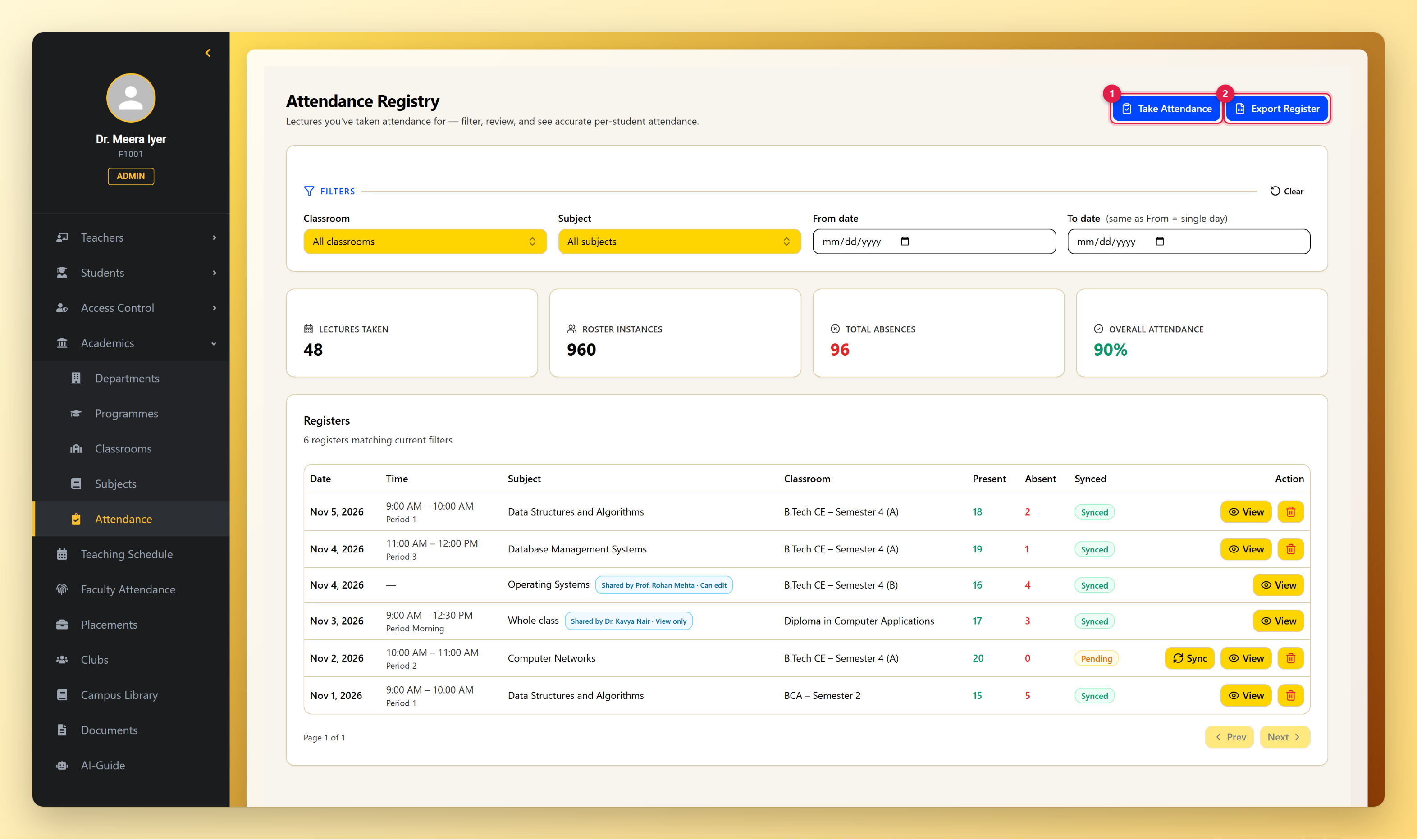
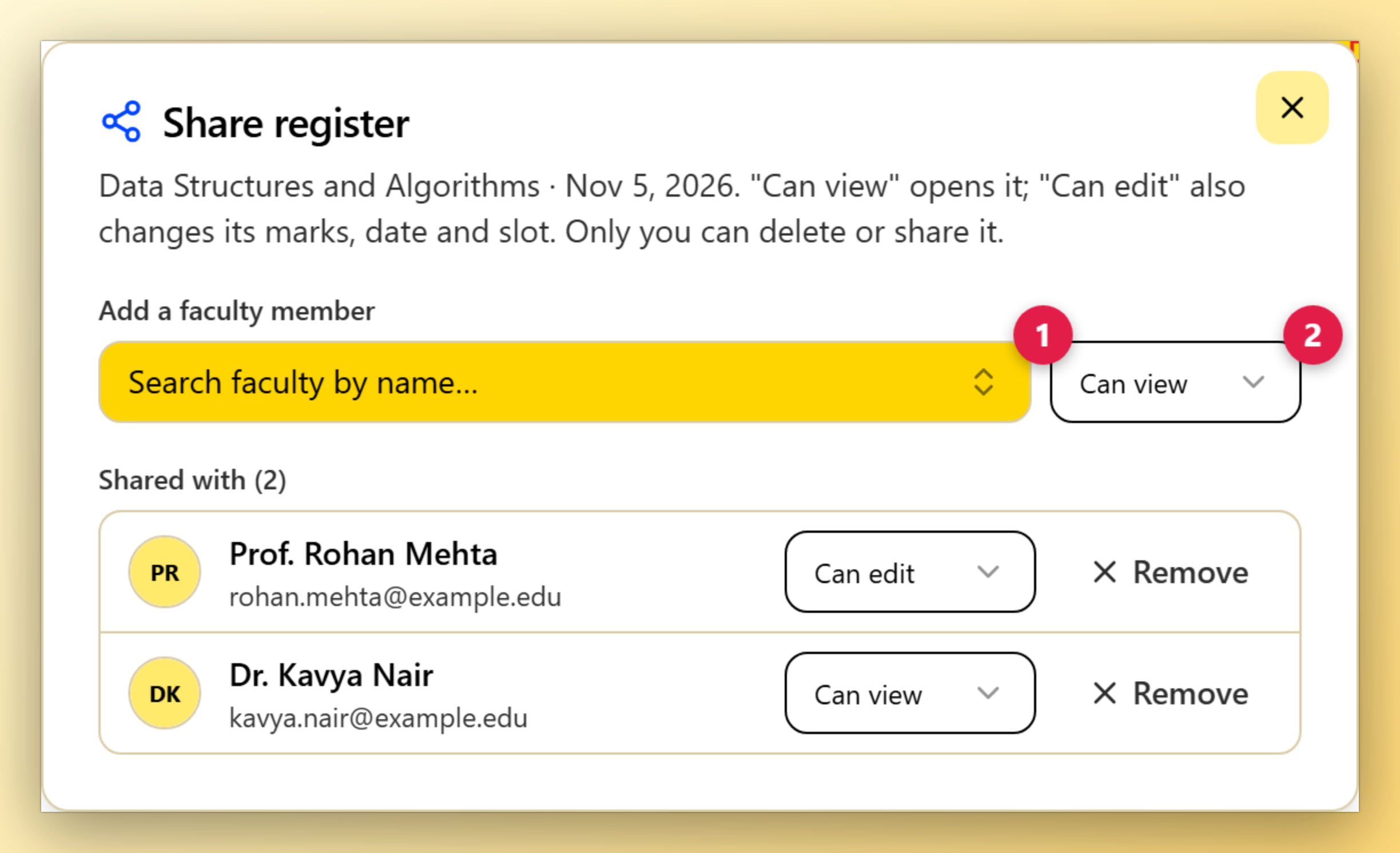
Sharing: the person who took a register can share it with one colleague at a time as "Can view" or "Can edit". Only that person can delete the register or change who it is shared with. A colleague with "Can edit" can correct marks, date and slot but cannot delete or re-share.
Exports: "Export Register" builds the workbook from the registers you can access - your own and the ones shared with you - and emails you the link.
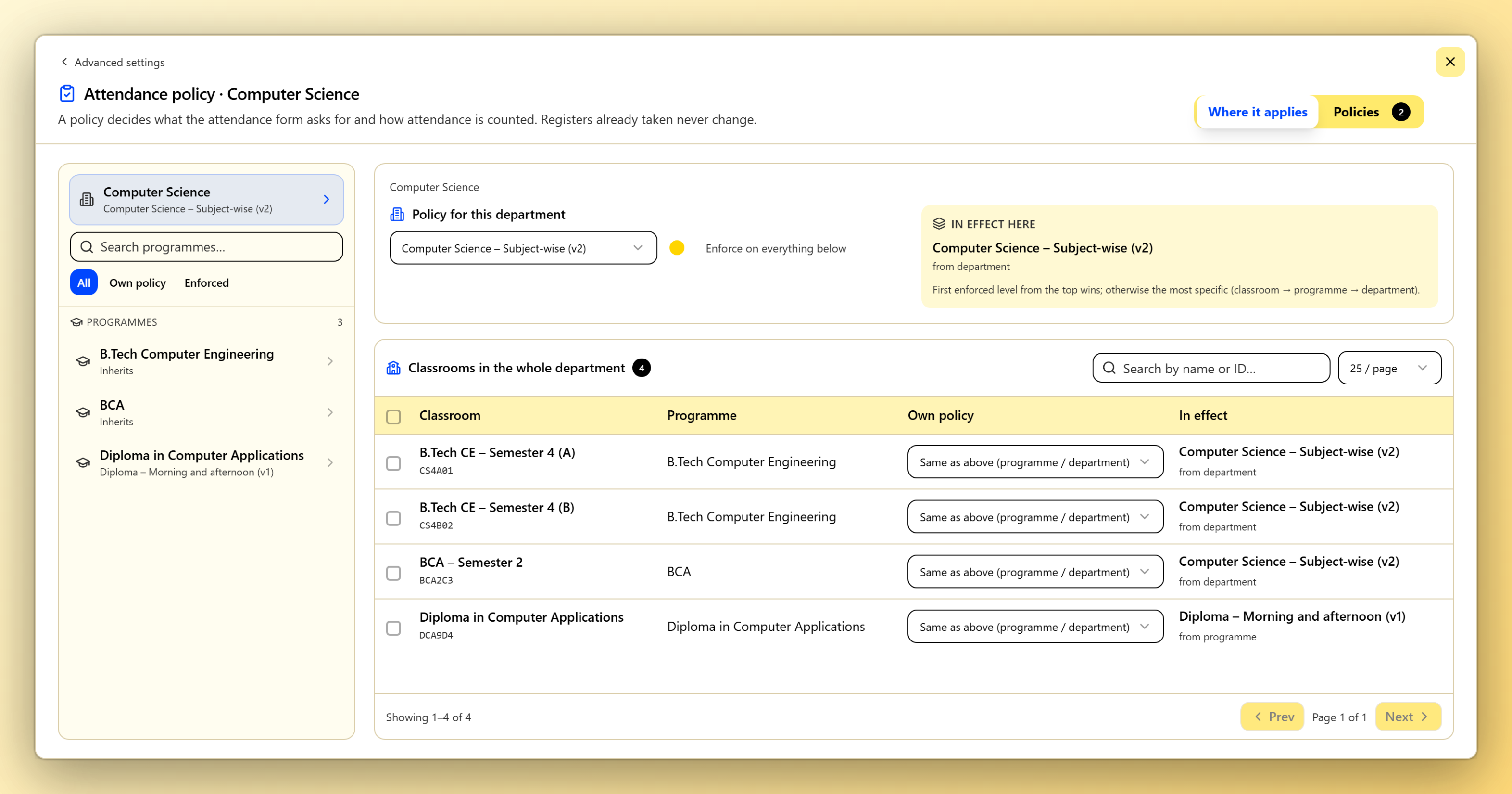
The attendance policy: Admin and Super Admin only, from Departments > Advanced settings. Sub Admins and Faculty do not see that option. A policy can be applied to a department, programme or classroom, and a higher level can lock the lower ones.
Students: each student sees only their own attendance in the app and cannot change it; they contact the faculty member who took the register. If the policy says "Students see attendance? No", students see nothing, but the attendance is still counted and appears all at once if you switch it back to Yes.
Faculty check-in: the Faculty Attendance page (the check-in log for staff) can be viewed for everyone and corrected by Admin and Super Admin only.
You've completed this guide — Who Can See and Change Attendance