
About this feature
The UNILinkd app is available on Android and iOS for both faculty and students. This section covers account setup, first login, and navigating the app follow the guide for your role. Faculty get additional tools including attendance submission, note creation, Google Meet integration, and announcement posting. Students have access to messaging, clubs, classrooms, the placement portal, and AI study tools.
How Your Institute Is Organised
Understand institute, department, programme and classroom, with examples for schools, colleges and universities.
Your institute is organised in four levels: Institute, then Department, then Programme, then Classroom. A department is the big academic unit, a programme is a course of study inside it, and a classroom is the batch or section you actually sit in.
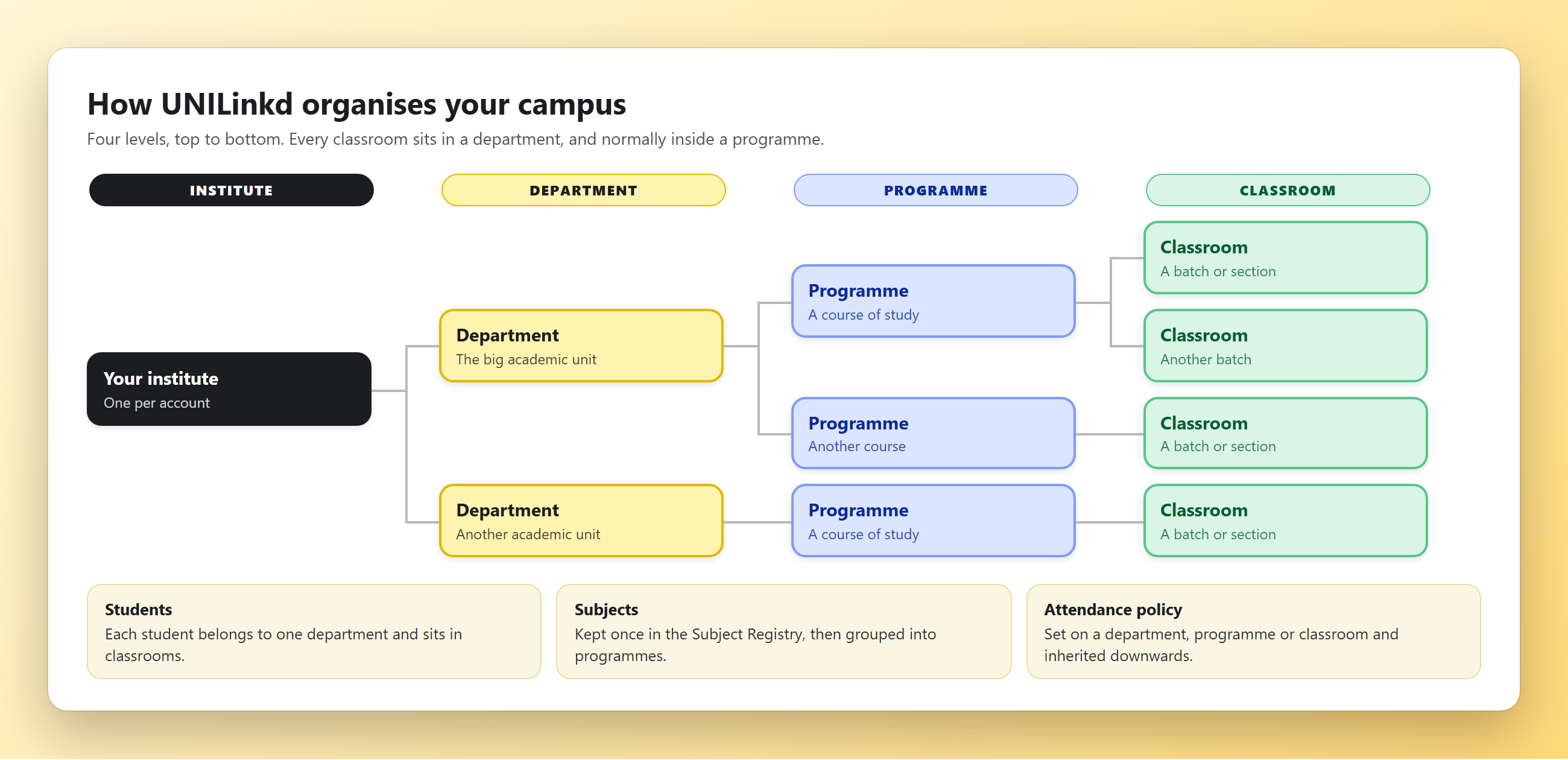
Students belong to one department (chosen at first login) and are placed in their classrooms by the institute. Faculty can join several departments and teach in several classrooms.
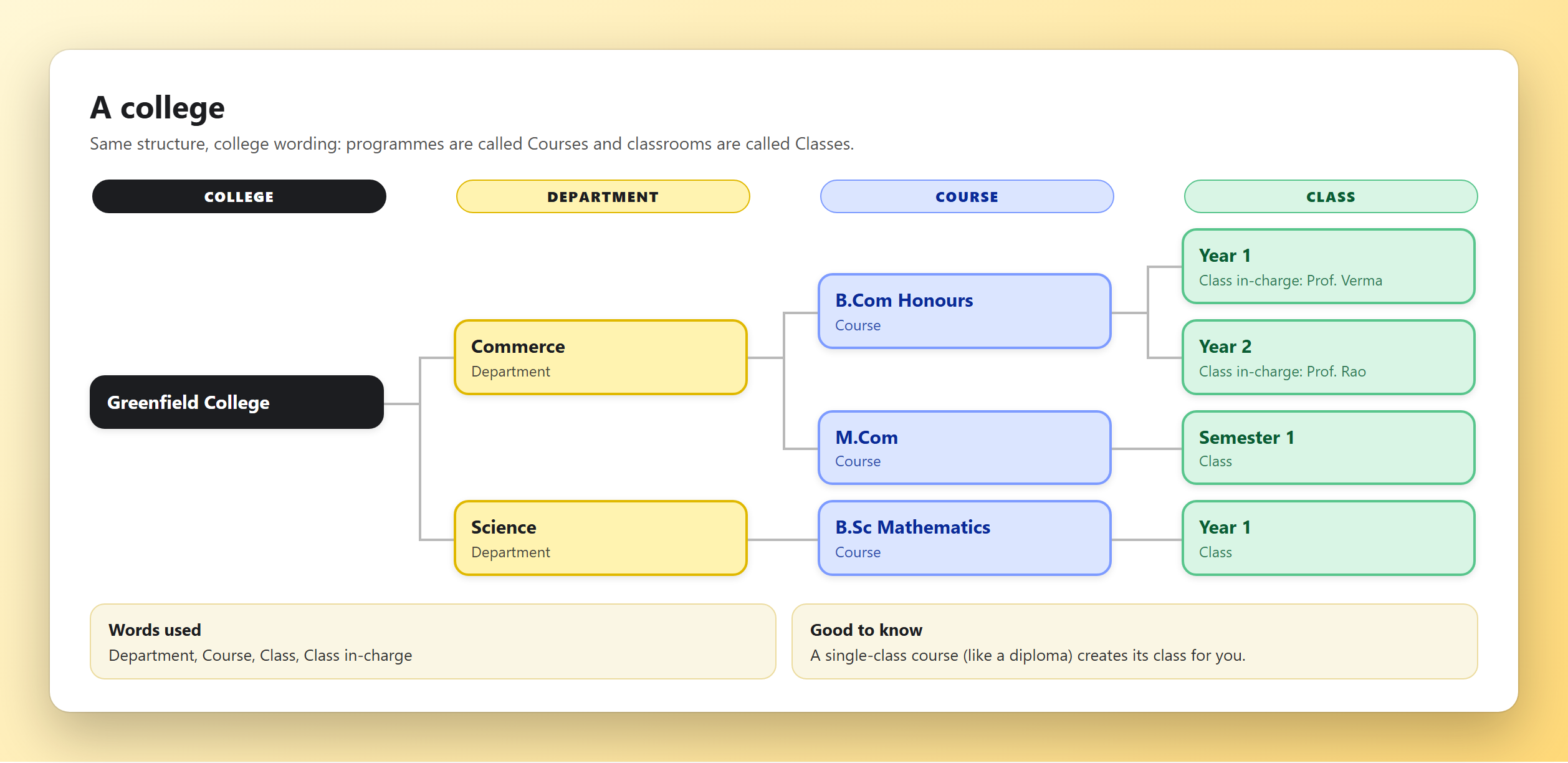
The words depend on your kind of institute. University: Department, Programme, Classroom. College: Department, Course, Class. School: Department (a wing), Class, Section. Training institute: Department, Course, Batch. The app shows the words that match yours.
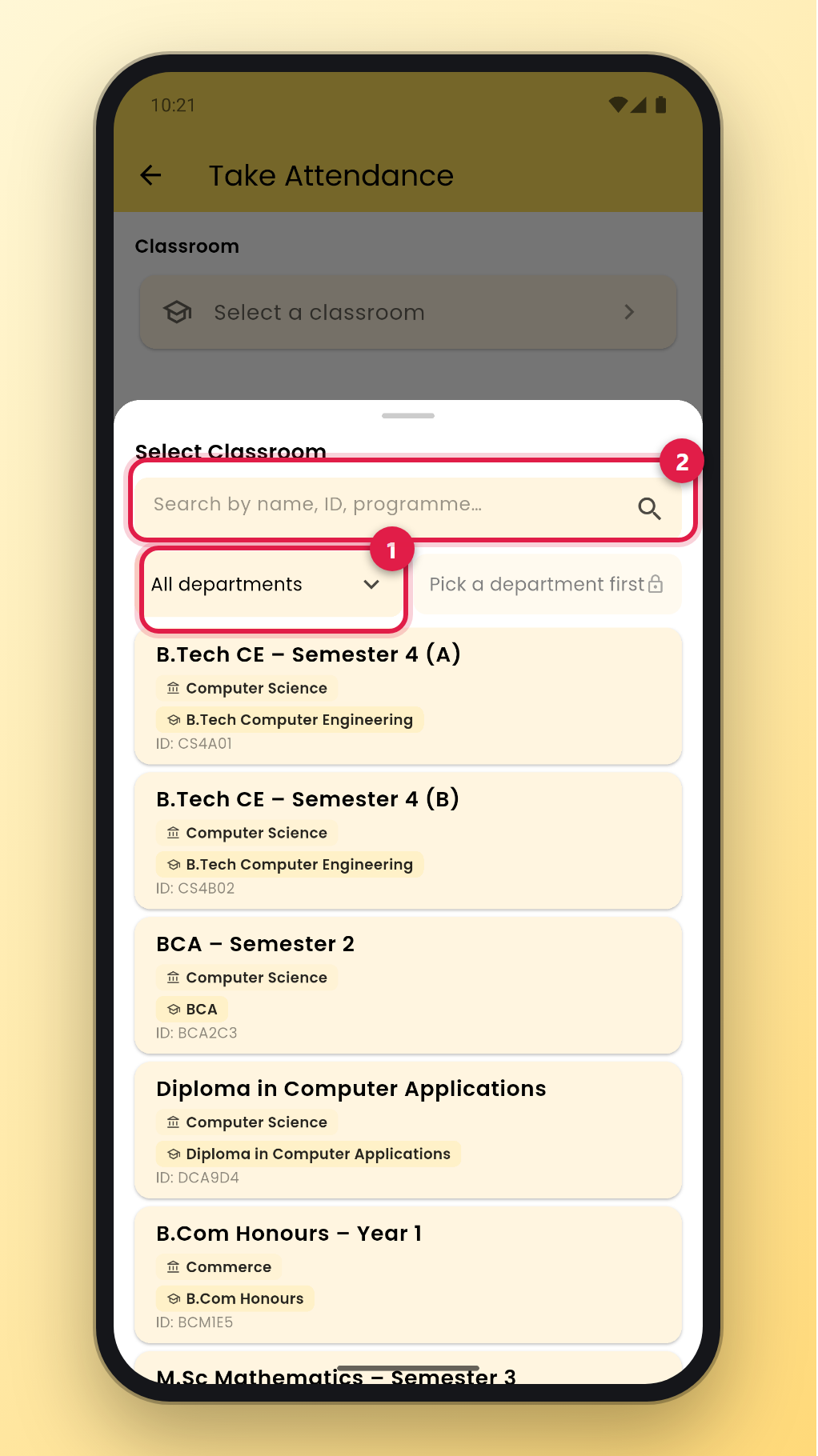
Faculty: when you pick a classroom - for example in Take Attendance or Export - the list shows each classroom tagged with its department and programme. Filter by department first, then programme, or search by name.
You've completed this guide — How Your Institute Is Organised