
About this feature
Attendance is taken per classroom and date. What the form asks for depends on the classroom's attendance policy: some institutes take it subject-wise, others for the whole class with no subject, and some use fixed daily slots such as Morning and Afternoon. Registers a faculty member takes are private to them, but can be shared with a colleague as view-only or editable. Students can only view their own attendance; if something looks wrong they should contact the faculty member who took that register. Depending on the institute's policy, students may not see attendance at all - it is still counted.
How to Take Attendance (Faculty)
Pick a classroom, follow the form it asks for, mark absentees and submit - right from your phone.
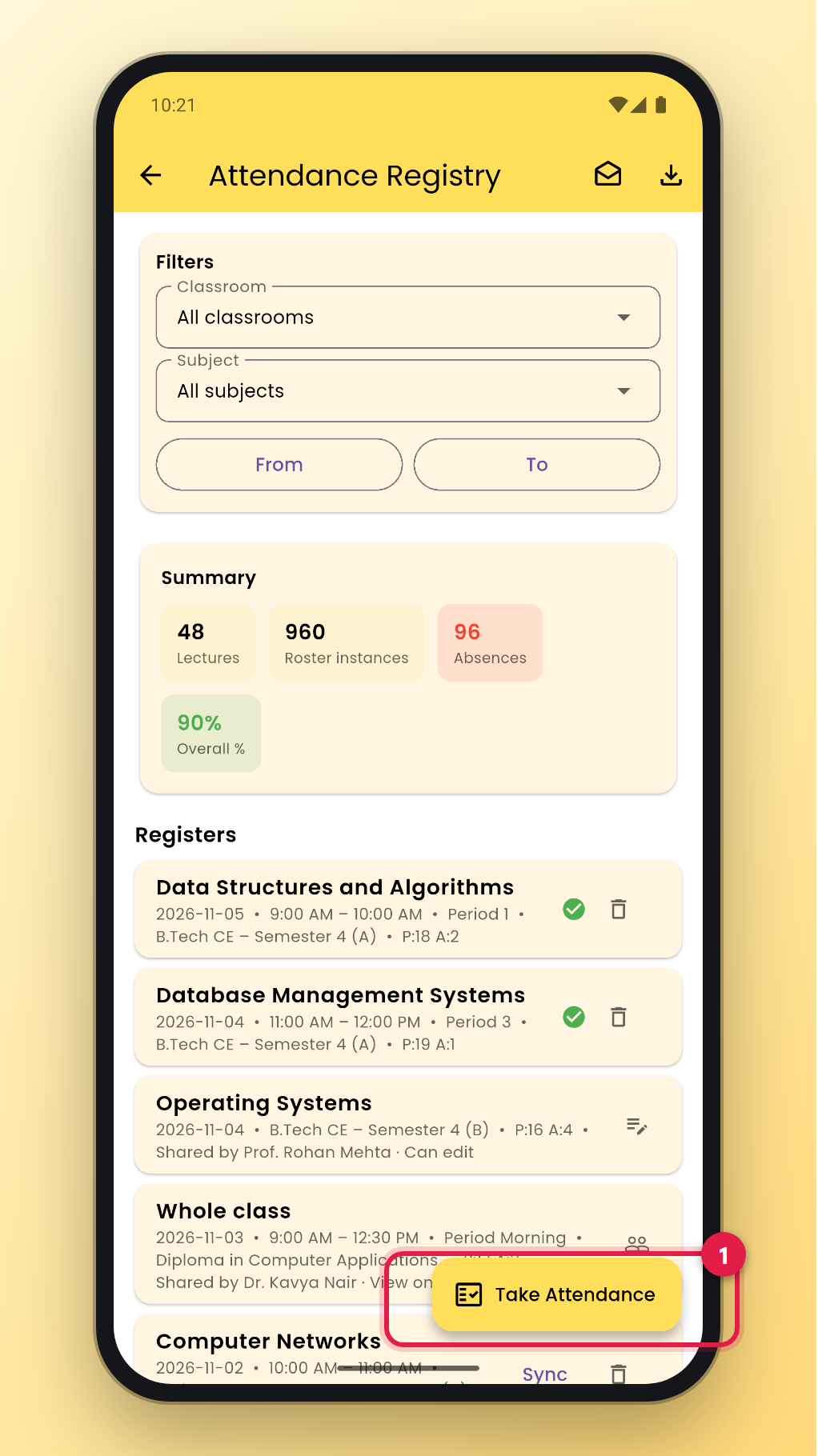
Tap the "Library" tab, then "Attendance Registry". This only appears for Faculty accounts. Tap "Take Attendance".
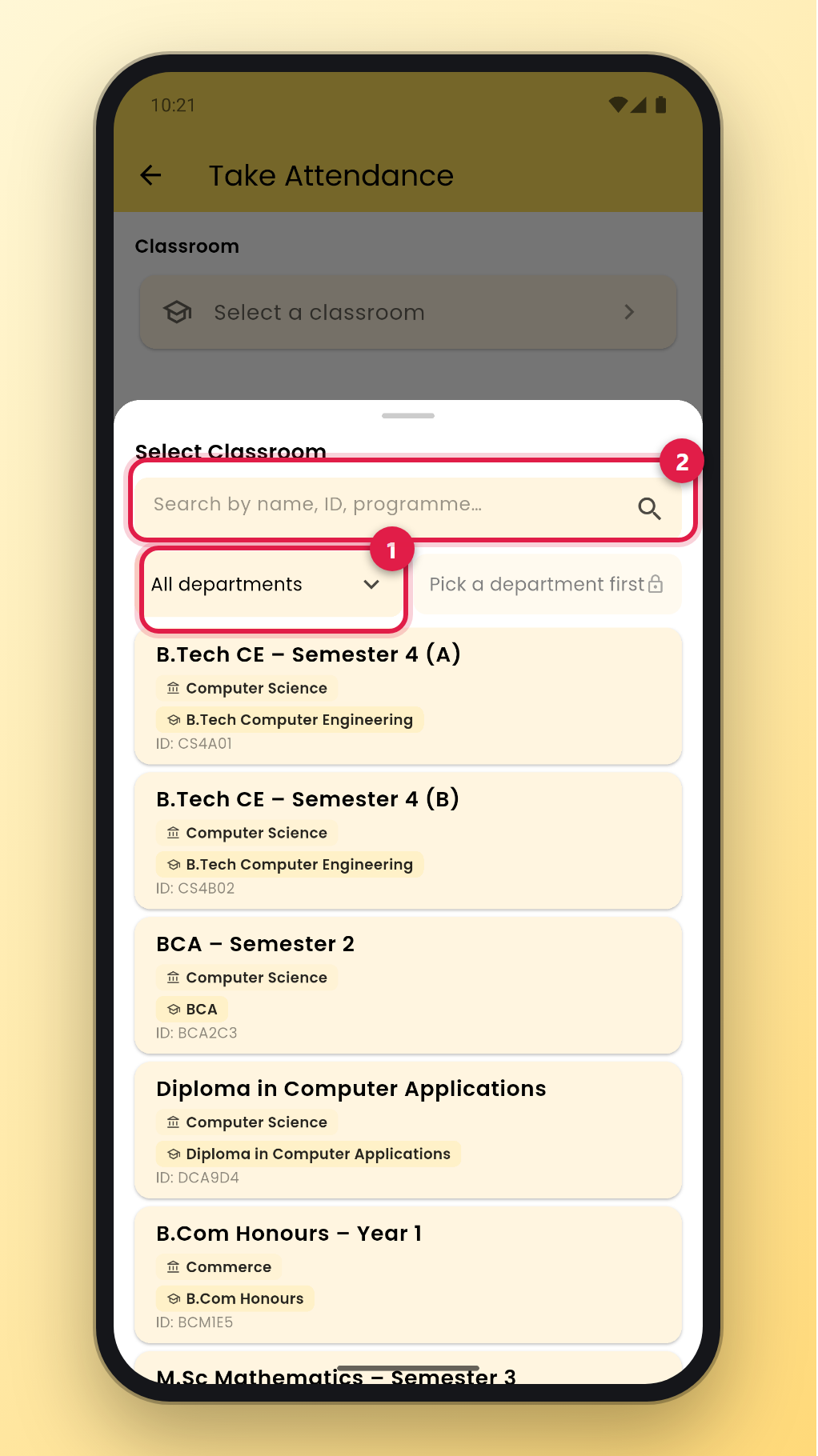
Tap "Select a classroom". Narrow the list by department and programme, or search by name; tap "Load more" on long lists. Use "Change" later to pick a different classroom.
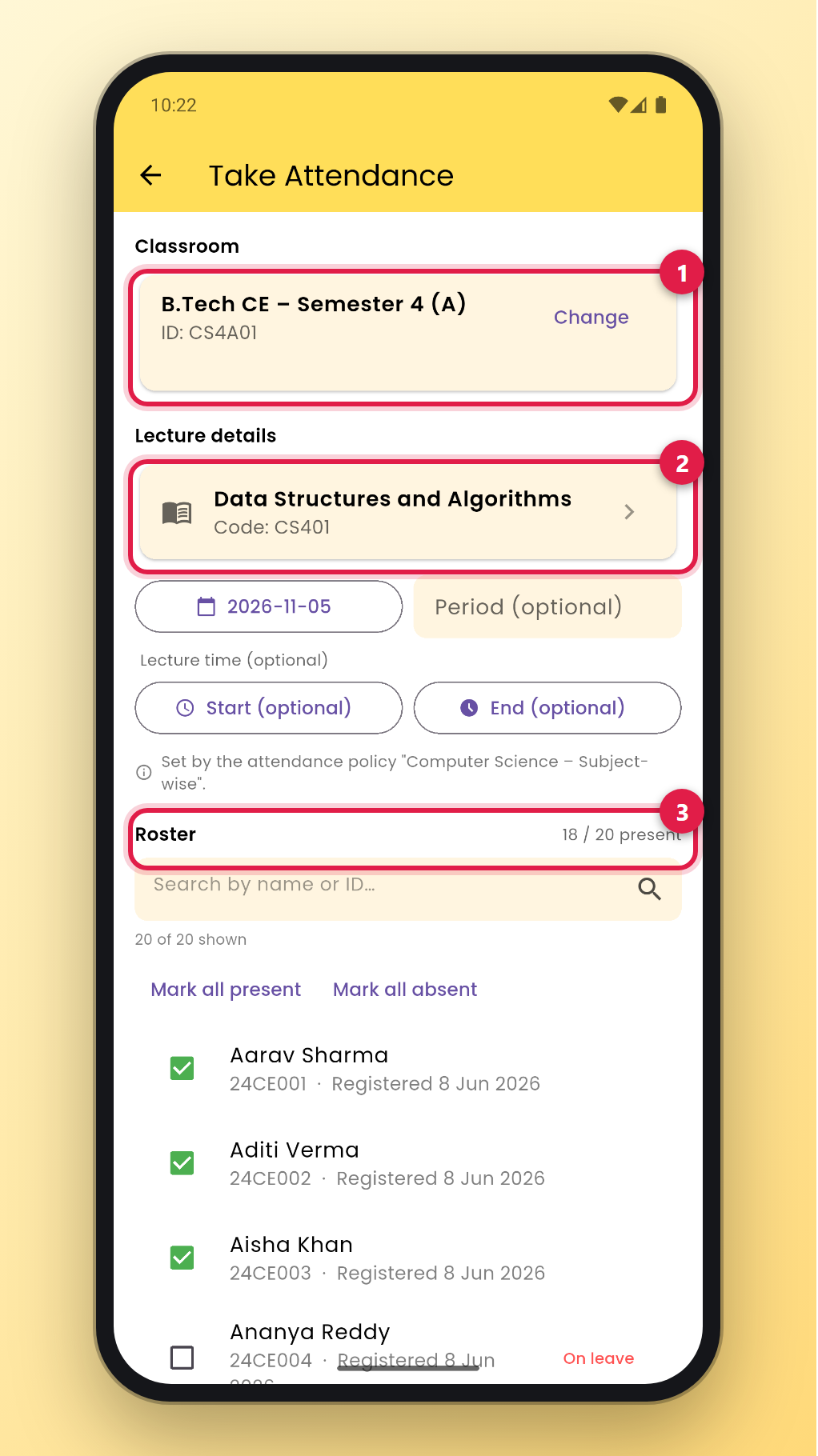
The form now adapts to the classroom's attendance policy. Subject-wise: tap the subject field ("Required: tap to search") and pick the subject taught. Whole class: there is no subject - just the date. If the policy has fixed slots, tap the slot this register is for; a tick marks slots already taken and a note lists the ones not taken yet. With no slots you can optionally enter a period and times.
If the policy has the duplicate warning on and a register for that classroom, date and slot already exists, you will see a warning. "You can still submit; this is only a warning."
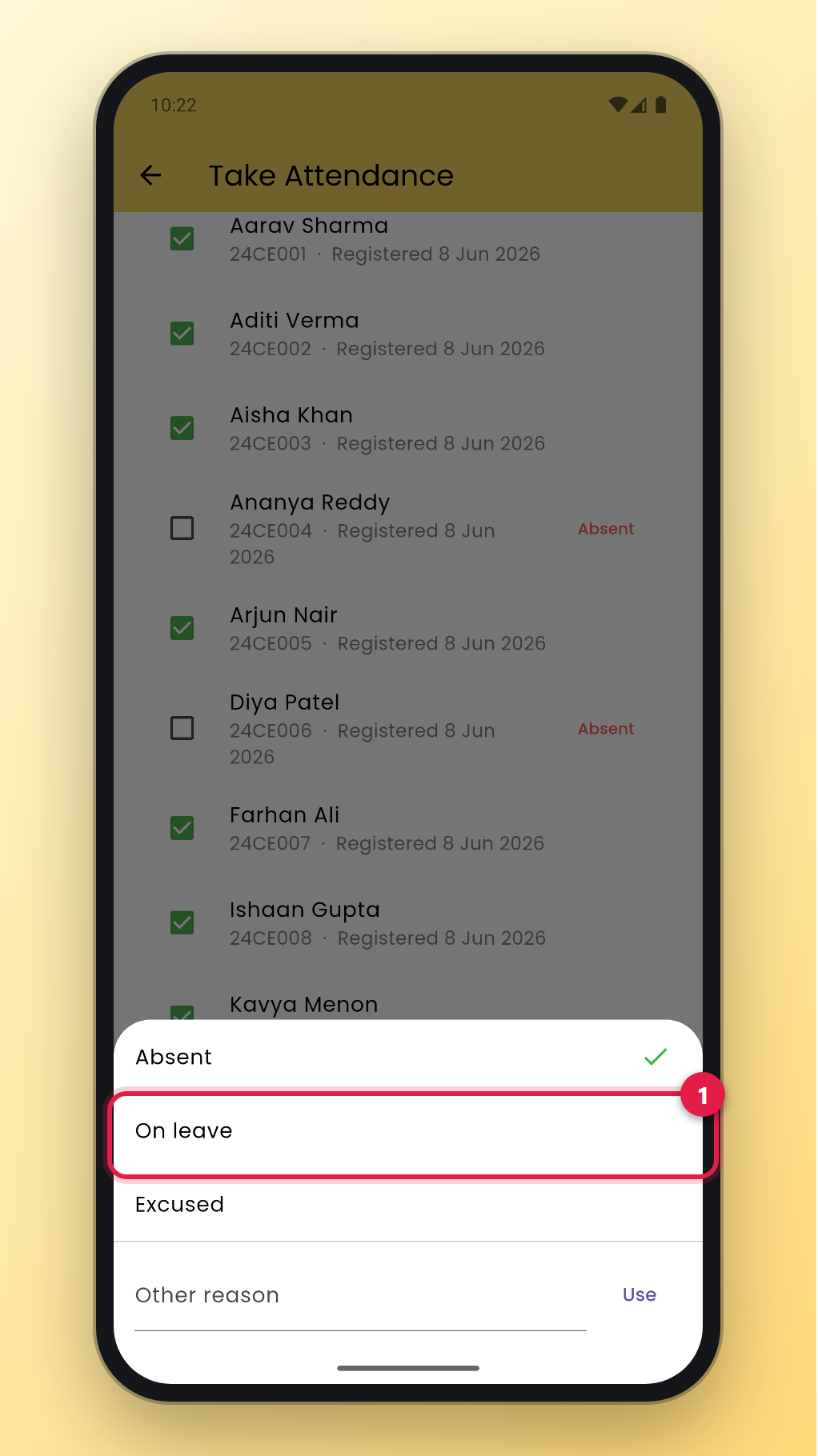
Everyone starts as present. Tap a student to mark them absent and choose why - Absent, On leave, Excused, or "Other reason" (type something like "medical, sports meet"). Use "Mark all present" or "Mark all absent" as a starting point and search to find a student quickly.
Tap "Submit Attendance". If you are offline or submission fails, it is saved as a draft on your device and you can retry it later - nothing is lost.
You've completed this guide — How to Take Attendance (Faculty)