
About this feature
Attendance is taken per classroom and date. What the form asks for depends on the classroom's attendance policy: some institutes take it subject-wise, others for the whole class with no subject, and some use fixed daily slots such as Morning and Afternoon. Registers a faculty member takes are private to them, but can be shared with a colleague as view-only or editable. Students can only view their own attendance; if something looks wrong they should contact the faculty member who took that register. Depending on the institute's policy, students may not see attendance at all - it is still counted.
How to Share a Register with a Colleague (Faculty)
Let another faculty member view or edit one of your registers.
Registers are private: no one else sees one you took unless you share it.
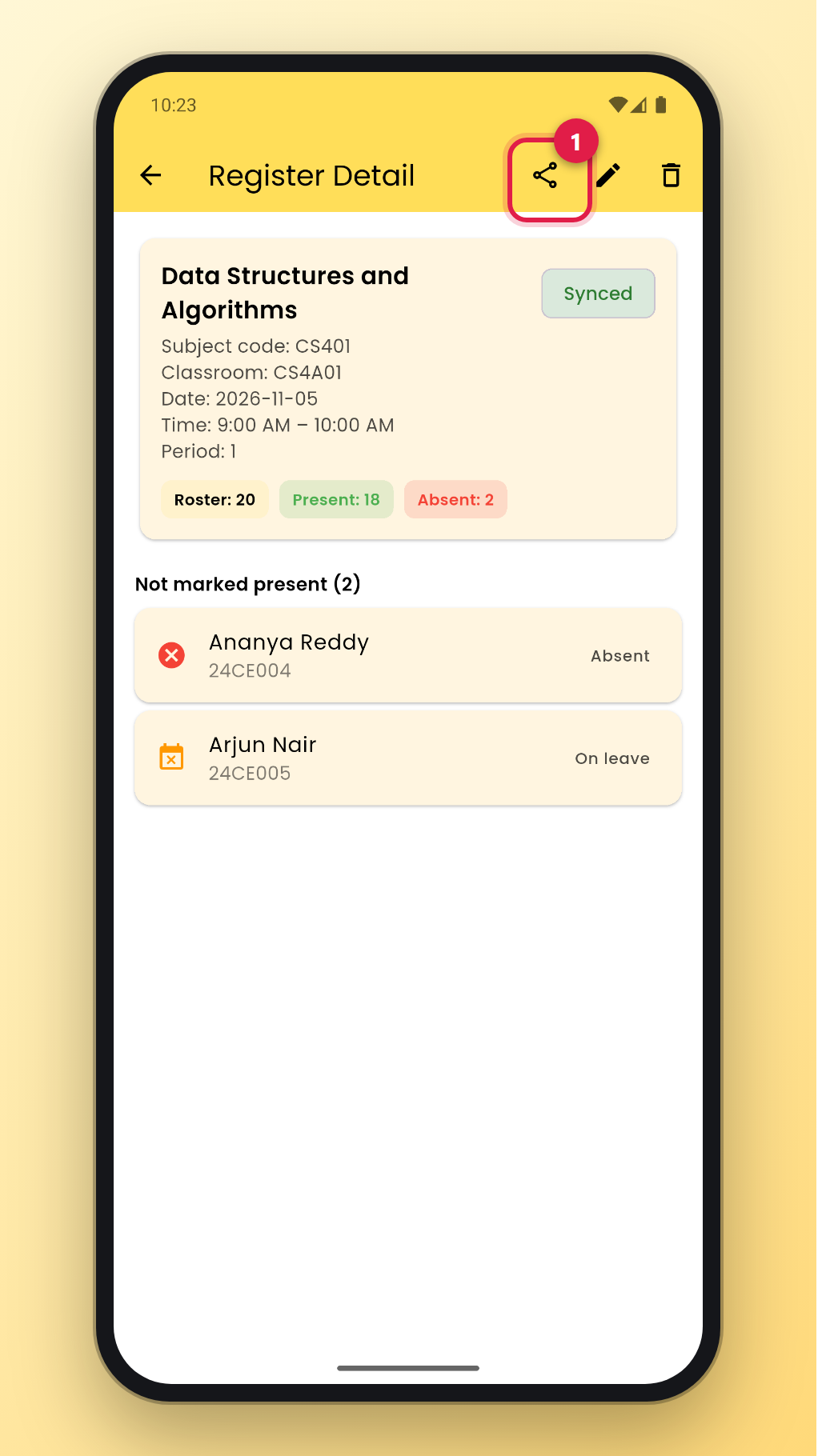
Open the register you want to share and tap the share icon. The "Share register" sheet opens.
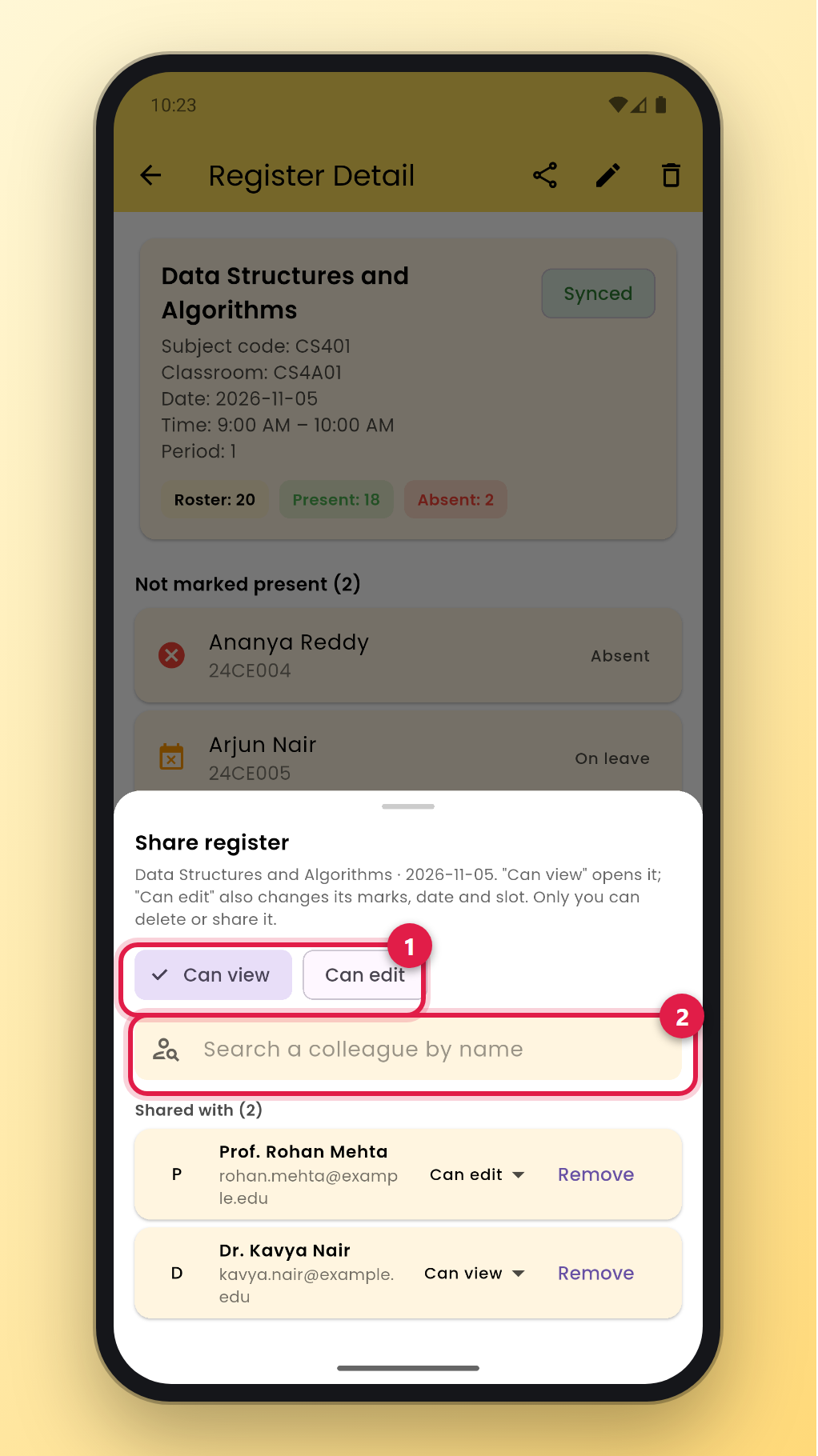
Search a colleague by name, pick whether they can view or edit, and add them. They appear in the list with their photo and email. Change their access or tap "Remove" at any time. Until you share it, the sheet reads "Only you can see this register."
Your colleague sees the register in their own list tagged "Shared by <your name>". Only you can delete or re-share it.
You've completed this guide — How to Share a Register with a Colleague (Faculty)